
The Paper Clutter Problem: Mail, Documents, and What to Actually Keep
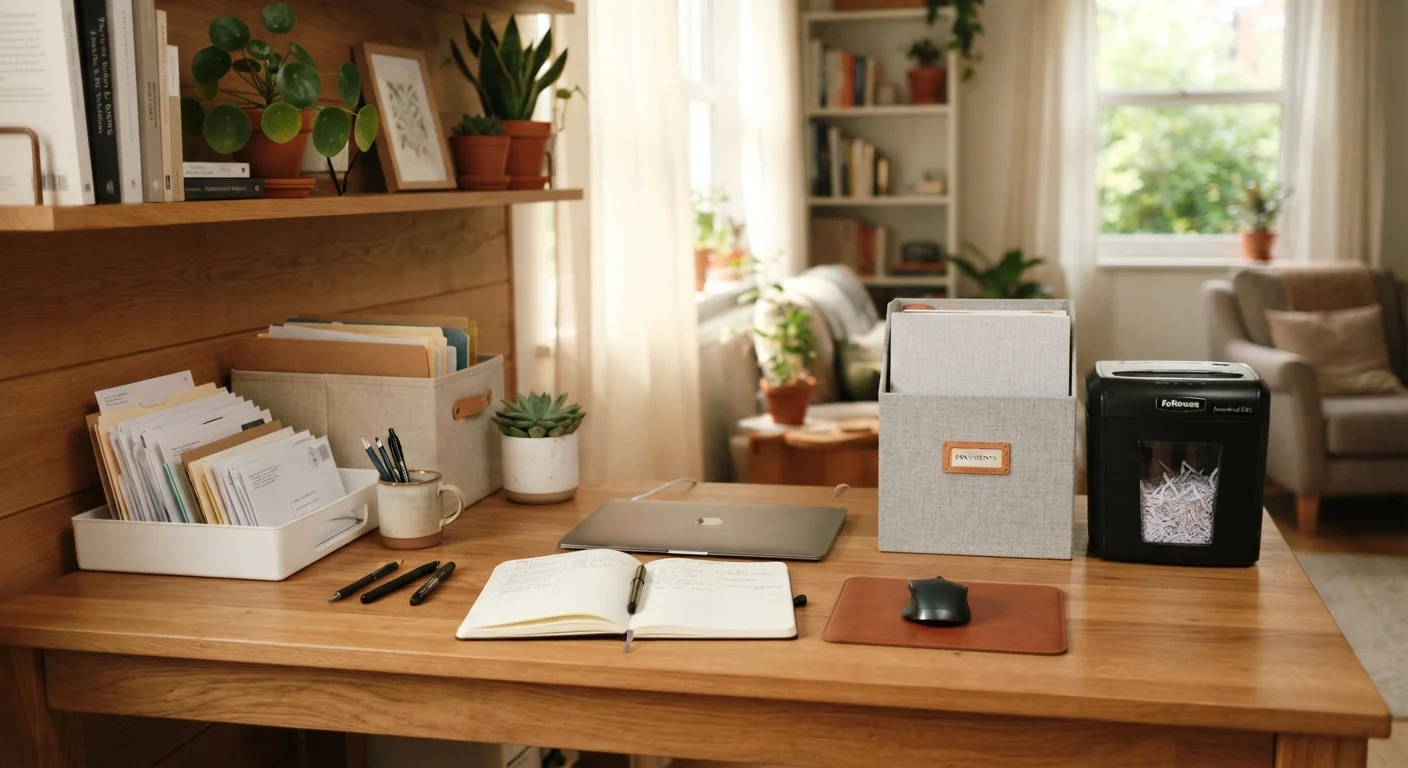
Photo credit: TrendingFaqs.com
In this article
Paper piles up fast. Learn which documents to keep, for how long, and how to build a simple system that stops the overflow.
Key Takeaways
- Most mail can be sorted and discarded within minutes using a consistent daily habit.
- Different document types have different retention timelines: knowing them prevents over-keeping.
- A three-category filing system (action, archive, shred) handles almost all household paper.
- Sensitive documents should be shredded, not simply thrown away, to protect personal information.
- Switching to paperless statements reduces incoming paper significantly at the source.
Why paper clutter is so stubborn
Paper arrives continuously and rarely announces its own importance. A credit card statement, a school permission slip, a doctor's after-visit summary, and a coupon circular all land in the same mailbox on the same day. Without a system to sort them on arrival, they form a pile that grows faster than anyone intends.
Part of the problem is the cost of being wrong. People hold onto documents they no longer need because they fear discarding something they might need later. That fear is not irrational, but it leads to storing far more than necessary. Most households keep years of documents that have no legal, financial, or practical purpose. The goal of a paper management system is to reduce that surplus without creating risk.
If paper has also claimed your desk or workspace, home office clutter can affect concentration in ways that go beyond the visual mess. Solving the paper problem at its source is more effective than rearranging piles, and it is worth noting that adding more storage rarely fixes the underlying issue.
What you actually need to keep, and for how long
Most document-retention guidance comes from the IRS and general legal practice. These are general timeframes for informational purposes; consult a financial or legal professional if you have questions specific to your situation.
- Tax returns and supporting documents: Keep for at least seven years. The IRS generally has three years to audit a return, but that window extends to six years if income was underreported by more than 25 percent.
- Bank and credit card statements: One year is enough for routine statements. Keep longer if they support a tax deduction.
- Pay stubs: Until you receive and verify your annual W-2, then shred them.
- Medical records and Explanation of Benefits (EOB) statements: Keep EOBs until the claim is resolved and the bill is paid. Retain personal medical records indefinitely; they may be relevant to future care or insurance disputes.
- Property records: Keep deeds, mortgage documents, and home improvement records for as long as you own the property, plus at least seven years after you sell.
- Insurance policies: Keep current policies and any claims documentation. For context on what records matter most, the insurance basics hub covers what to track when managing household coverage.
- Investment and retirement account statements: Keep year-end summaries; monthly statements can go after you verify them. See the saving and debt hub for broader context on financial record-keeping.
- Warranties and receipts for major purchases: For the life of the item.
- Utility bills: Discard after one year unless needed for a home business deduction.
When in doubt, scan it
If you are unsure whether to keep a physical document, scanning it and saving a digital copy is a reasonable middle ground. Store scans in a clearly named folder and back them up to a secure location. This works especially well for documents you rarely need but cannot afford to lose entirely.
How to build your sorting system
Before starting, gather what you need.
What you will need
Cross-cut or micro-cut shredder
Destroys sensitive documents so personal information cannot be recovered from discarded paper.
Accordion folder or hanging file box
Organizes archived documents by category so they are retrievable when needed.
Label maker or adhesive labels
Marks file sections clearly so anyone in the household can find and return documents.
Recycling bin
Catches non-sensitive paper waste such as envelopes, catalogs, and junk mail.
Inbox tray or designated mail spot
Gives incoming paper a single landing place so it does not spread across surfaces.
Once you have your materials, follow the steps below to clear your current backlog and set up a system that maintains itself.
Gather all paper into one place
Collect every piece of paper in the house: mail piles, desk stacks, kitchen counter papers, bedside tables, everything. Putting it all in one place lets you see the full scope before sorting begins. It also prevents you from creating an organized section while leaving hidden piles untouched.
Sort into three categories
Go through the pile and place each item into one of three categories:
- Action: Requires a response or task (a bill to pay, a form to sign, an appointment to schedule).
- Archive: No action needed, but worth keeping according to the retention guidelines above.
- Shred or recycle: Expired documents, duplicate copies, junk mail, and anything that no longer serves a purpose.
Do not read every document in detail during this pass. Scan for category, then move on. Detailed reading slows sorting to a halt.
Process the action pile first
Handle every item in the action pile before filing anything. Pay the bills, sign the forms, make the calls. If a task takes more than a few minutes, note it on a to-do list and schedule time to complete it, but clear the physical paper by noting what action is pending. An action pile that never empties becomes an archive in disguise.
File the archive pile by category
Label your filing sections clearly. Suggested categories for most households:
- Taxes (by year)
- Banking and investments
- Insurance
- Medical
- Property and home
- Vehicles
- Warranties and manuals
File documents into the correct section immediately. Avoid a generic 'miscellaneous' section; it tends to absorb everything and becomes unsortable over time.
Shred sensitive documents
Run everything in the shred pile through the shredder before discarding it. Cross-cut shredders produce small enough fragments to prevent reconstruction. Micro-cut shredders offer an additional layer of security for highly sensitive documents like tax returns or Social Security correspondence.
Schedule a quarterly review
Once a quarter, spend 15 to 20 minutes reviewing the archive. Pull any documents that have passed their retention period and shred them. This prevents the archive from growing indefinitely and keeps the filing system usable. A good trigger is the start of each calendar quarter: January, April, July, and October.
Stopping new clutter at the door
A filing system only works if paper does not accumulate faster than you process it. The most effective intervention is reducing what arrives.
Contact your bank, utility providers, and credit card issuers to switch to paperless statements. Most financial institutions allow this through their online account settings. The digital organization strategies that work for email and files apply here too: a dedicated email folder for financial statements keeps digital records accessible without physical clutter.
For mail that still arrives on paper, process it the day it arrives or set a specific day each week to sort it. The longer it sits, the harder it is to start. flat surfaces fill up quickly, and a mail pile on the counter tends to attract other items alongside it.
Opting out of unsolicited catalogs and marketing mail through the DMAchoice mail preference service can reduce junk mail volume over several months. It is not instant, but it cuts the incoming load at the source rather than at the sorting stage.
If paper clutter is part of a larger household organization effort, a room-by-room approach gives you a structured way to work through the rest of your space without feeling overwhelmed.

Author
Home Editorial Team
Home Editorial Team is the collective byline for our editorial team and contributor network. Articles published under this byline or an editorial pen name are researched, written, and reviewed according to our editorial standards for clarity, consistency, and independence before publication.
View all articles →