
The Difference Between the Internet and the World Wide Web
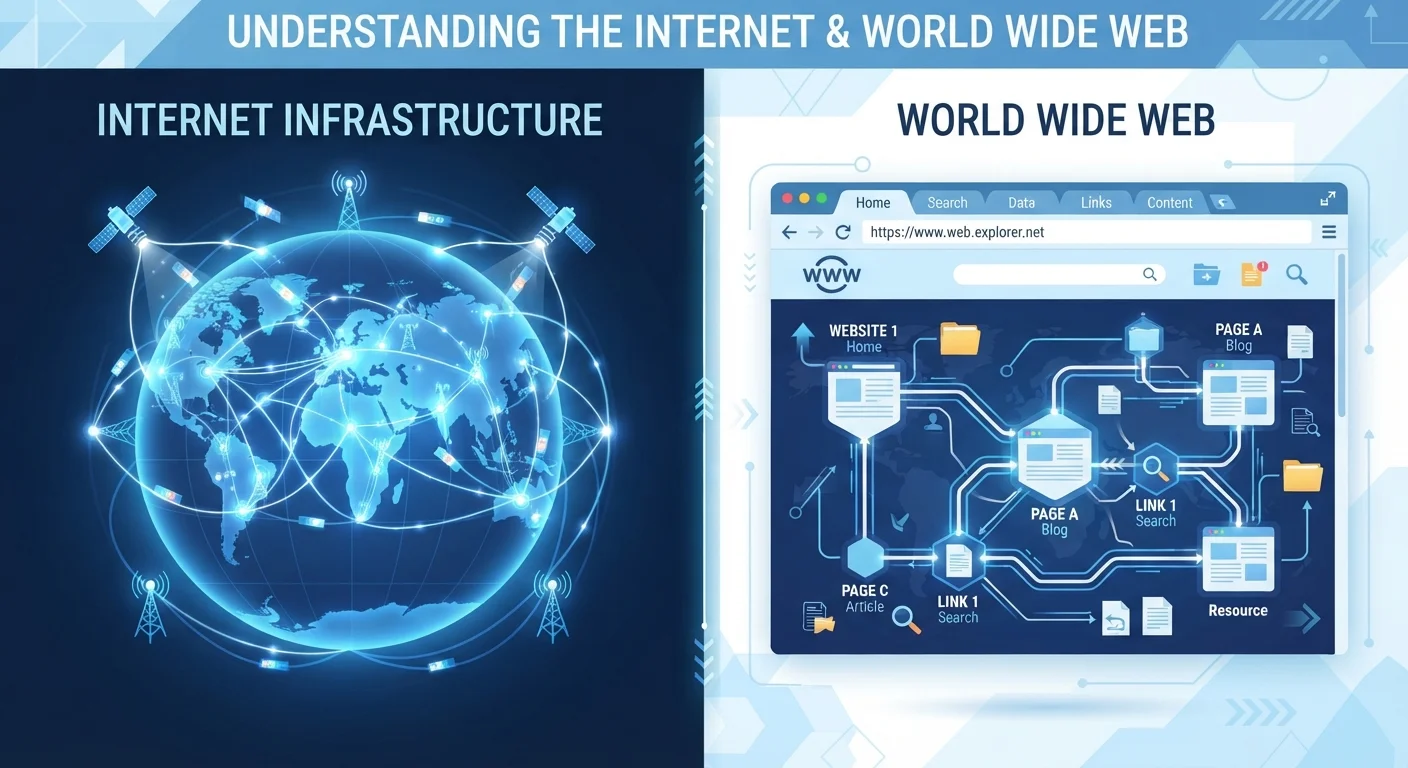
Photo credit: TrendingFaqs.com
In this article
These two terms are often used interchangeably, but they mean different things. Here is a clear explanation of each.
Key Takeaways
- The internet is a global network of interconnected computers and cables; the Web is a service that runs on it.
- The World Wide Web uses a specific protocol called HTTP to deliver web pages through browsers.
- Email, streaming, and online gaming also run on the internet but are not part of the Web.
- Tim Berners-Lee invented the World Wide Web in 1989; the internet's roots go back to the 1960s.
- You can use the internet without using the Web, but you cannot use the Web without the internet.
Two terms, two different things
Most people use "the internet" and "the Web" as if they mean the same thing. They do not. The confusion is understandable because both concepts are invisible infrastructure and both involve being "online," but they describe separate layers of how digital communication works.
The internet is a physical and logical network: a vast system of computers, routers, fiber-optic cables, satellites, and wireless connections that spans the globe. It is the infrastructure layer. The World Wide Web is one specific application that runs on top of that infrastructure. Think of the internet as the highway system and the Web as one type of vehicle that uses it.
This distinction matters beyond trivia. When your browser cannot load a page, knowing whether the problem is with the internet (no connection) or the Web (a broken server or bad URL) tells you exactly where to start fixing it. For a deeper look at how the internet physically reaches your home, see how the internet works and reaches your home.
What the internet actually is
The internet began as ARPANET, a U.S. Department of Defense research project in the late 1960s. Its goal was to let computers at different locations share data. Over decades, that small academic network expanded into the global system used today by billions of people.
At its core, the internet is a network of networks. Every device connected to it gets an IP (Internet Protocol) address, which functions like a mailing address. Data travels in small chunks called packets, which are routed across the network and reassembled at their destination. This infrastructure supports many different services simultaneously: email (using SMTP), file transfers (using FTP), video calls, online gaming, and yes, the Web. To understand the specific technical terms that power this traffic, IP addresses, DNS, and packets explained covers each concept plainly.
The internet does not require a browser to function. When you send an email or join a multiplayer game, you are using the internet but not the Web.
What the World Wide Web actually is
Tim Berners-Lee, a British scientist working at CERN, proposed the World Wide Web in 1989 and launched the first website in 1991. His idea was to link documents across computers using hypertext: clickable links that connect one page to another. That system of linked pages, accessible through a browser, is the Web.
The Web runs on a specific protocol called HTTP (Hypertext Transfer Protocol), or its secure version HTTPS. When you type a web address into a browser, your device sends an HTTP request to a server, which responds by sending back the page. Browsers like Chrome, Firefox, and Safari are Web clients: software designed specifically to interpret and display Web content.
| Criterion | The Internet | The World Wide Web |
|---|---|---|
| What it is | Global network of connected devices | System of linked documents and pages |
| Invented | Roots in ARPANET, late 1960s | Tim Berners-Lee, 1989-1991 |
| Key protocol | TCP/IP | HTTP / HTTPS |
| Requires a browser | No | Yes |
| Examples of use | Email, gaming, video calls, Web | Websites, web apps, hyperlinks |
| Can exist without the other | Yes, internet exists without the Web | No, Web requires the internet |
The Web is enormous, containing hundreds of billions of indexed pages, but it is still just one application layer on top of the internet. Other internet services operate completely independently of HTTP and browsers.
Where people get confused
The conflation of these terms happens partly because, for most consumers, browsing the Web is their primary way of experiencing the internet. If the browser works, "the internet" feels fine. If the browser fails, "the internet" feels broken.
A few concrete examples show the distinction clearly. When your email app checks for new messages in the background, it uses the internet but does not use the Web. When a smart speaker streams music, it connects to the internet via a proprietary protocol, not HTTP. When you play an online game, packets travel across the internet without a browser in sight. The Web is a browser-based, hyperlinked document system. The internet is the carrier for all of it.
The same kind of conceptual mix-up appears in other domains. Just as anxiety and worry are often confused despite meaning different things, "internet" and "Web" get treated as synonyms when they describe different layers of experience. And if you are deciding between offline and online apps, understanding this distinction helps clarify what "needing an internet connection" actually means for any given app.
1991
Year the first public website launched
Tim Berners-Lee published the first website at CERN on August 6, 1991, more than two decades after ARPANET began.
5.4 billion
Internet users worldwide (approx.)
According to the International Telecommunication Union's 2023 figures, roughly two-thirds of the global population uses the internet.
HTTP / HTTPS
Protocols specific to the Web
All other internet services, including email (SMTP), file transfer (FTP), and gaming traffic, operate on different protocols entirely.
Why the distinction still matters
For everyday users, keeping the two concepts separate has practical value. When diagnosing a connection problem, checking whether other internet services (like a ping or an email sync) still work tells you whether the issue is with the internet layer or specific to a website or browser. That alone can save time.
Security awareness also benefits from this clarity. Threats like phishing sites and malicious JavaScript operate at the Web layer; they require a browser to reach you. Other threats, like port scanning or certain malware, operate at the internet layer. Knowing which layer a threat uses helps you understand which defenses apply. Firewalls and routers protect at the internet level; browser settings and HTTPS awareness protect at the Web level.
If you are still sorting out how your internet connection type affects overall performance, broadband, fiber, cable, and DSL options explained provides a plain-language breakdown of the infrastructure choices available to most households.

Author
Tech Editorial Team
Tech Editorial Team is the collective byline for our editorial team and contributor network. Articles published under this byline or an editorial pen name are researched, written, and reviewed according to our editorial standards for clarity, consistency, and independence before publication.
View all articles →