
Free vs. Paid Apps: When the Free Version Is Actually Enough
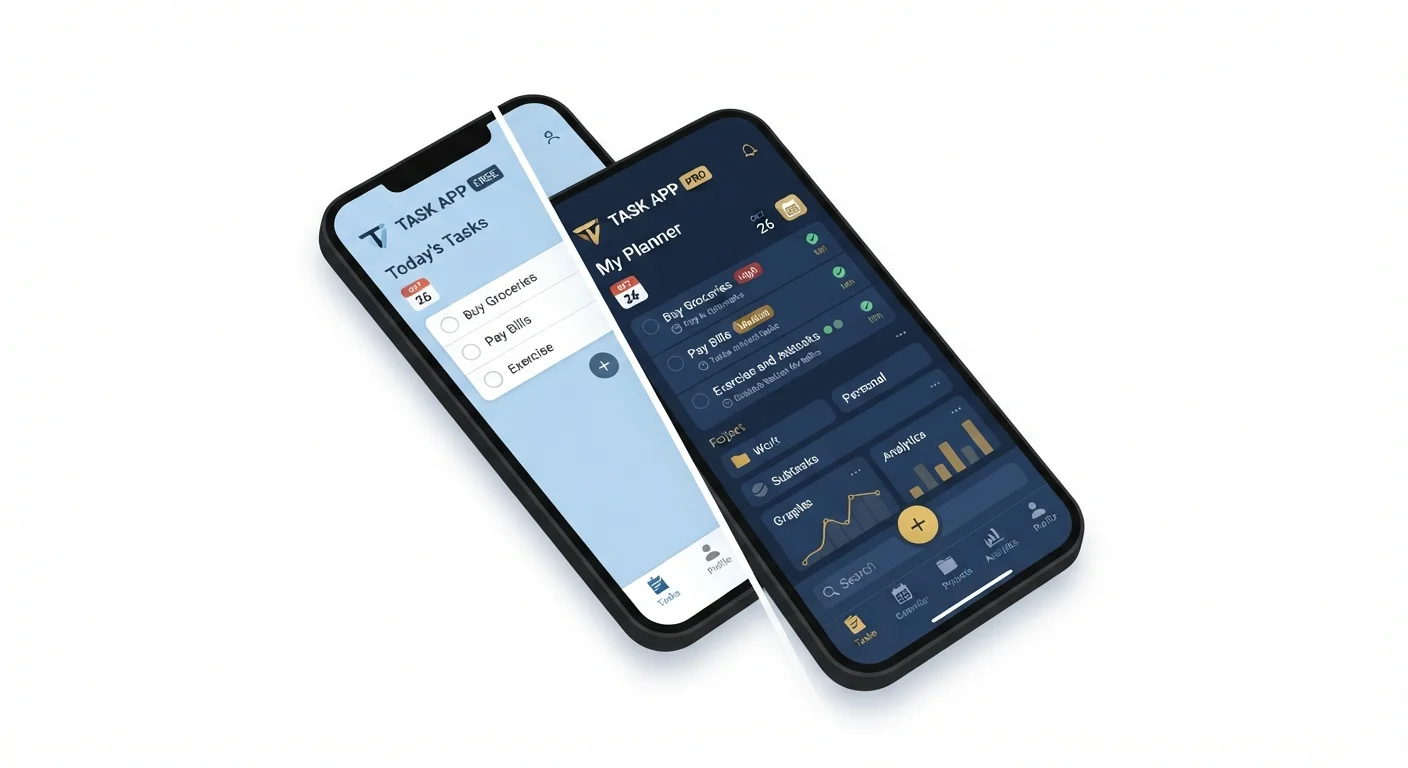
Photo credit: TrendingFaqs.com
In this article
Understand the real differences between free and paid app tiers so you can decide when upgrading is worth it and when it is not.
Key Takeaways
- Free app tiers often cover the core tasks that most users actually need day to day.
- Paid tiers make financial sense mainly when you hit a concrete limit that slows your work.
- Ads, storage caps, and export restrictions are the most common free-tier friction points.
- Many users upgrade out of habit or fear of missing features they never end up using.
- Auditing your actual usage before upgrading is the most reliable way to avoid unnecessary spending.
Free tiers cover core tasks for most users
Developers build free tiers to demonstrate the app's value, so the primary function is almost always available without payment. Casual and moderate users typically never encounter a hard limit.
Zero cost reduces financial risk
Using a free tier means you can test an app thoroughly before committing any money, and walk away without loss if the app does not fit your routine.
Fewer account and data obligations
Some paid tiers require a linked payment method and expanded account permissions. Staying on the free tier can mean fewer touch points for your financial data.
Sufficient for single-user, single-task workflows
If only one person uses the app and the task is straightforward, collaboration and advanced storage features add no practical value, making the free tier a complete solution.
Ads interrupt time-sensitive or focused tasks
Free tiers in many apps, especially media and productivity tools, include ads. These are a minor annoyance for casual use but can become disruptive when you are working against a deadline.
Storage caps can block progress without warning
Many free tiers impose a ceiling on stored files, notes, or projects. Hitting that cap mid-task means either deleting old data or stopping work until you upgrade.
Export and integration limits affect output quality
Some apps restrict free users to basic export formats or block third-party integrations entirely. If your workflow depends on a specific format or connected tool, this is a concrete barrier.
Collaboration features are routinely paywalled
Shared access, live co-editing, and team permissions are almost always reserved for paid plans. A free tier is generally a single-user environment.
Customer support is often deprioritized for free users
Many developers route free-tier support requests through community forums or low-priority queues. If the app is part of a critical workflow, slow support can be a real problem.
How free and paid tiers are structured
Most apps follow a freemium model: a free tier is available indefinitely, and a paid tier unlocks additional capabilities. The free version is not a trial or a broken product. Developers release it intentionally to attract users, so it typically covers the core function of the app.
Paid tiers generally add one or more of the following: more storage, fewer or no ads, collaboration features, priority support, advanced export formats, or automation tools. The gap between tiers varies widely. In some apps the difference is minor; in others it is substantial enough that the free tier becomes frustrating quickly.
Understanding this structure matters because the marketing around upgrades is designed to make premium features look essential. Most of the time, for most people, they are not.
When the free version is genuinely enough
If you use an app for a single, well-defined task on a casual basis, the free tier is almost always sufficient. A note-taking app where you capture occasional reminders, a weather app you check once a day, or a PDF reader you open a few times a month will rarely hit any limits that matter.
The free version also holds up well when you are the only person using the app. Paid tiers often bundle collaboration features: shared workspaces, team permissions, and comment threads. If none of that applies to how you work, you are paying for capacity you will never use.
Budget and finance apps are a useful example. Many free budgeting tools let you link accounts, set categories, and review spending trends without any cost. Budgeting apps across different categories typically offer enough functionality in their free tiers to support a basic personal finance routine.
Free tiers cover core tasks for most users
Developers build free tiers to demonstrate the app's value, so the primary function is almost always available without payment. Casual and moderate users typically never encounter a hard limit.
Zero cost reduces financial risk
Using a free tier means you can test an app thoroughly before committing any money, and walk away without loss if the app does not fit your routine.
Fewer account and data obligations
Some paid tiers require a linked payment method and expanded account permissions. Staying on the free tier can mean fewer touch points for your financial data.
Sufficient for single-user, single-task workflows
If only one person uses the app and the task is straightforward, collaboration and advanced storage features add no practical value, making the free tier a complete solution.
When a paid upgrade is worth it
A paid plan earns its cost when a specific free-tier limit actively disrupts your workflow and that disruption happens regularly. The most common triggers are storage caps, export restrictions, and ad interruptions during time-sensitive tasks.
If you use a productivity app for work and the free tier caps you at a fixed number of projects or blocks offline access, the math changes. Losing access to your data without a connection, for instance, is a real constraint worth paying to remove. Offline vs. online app differences matter more when your connectivity is unreliable.
Collaboration is the other clear case. If two or more people need live editing or shared task management, free tiers routinely limit that. Paying to unlock it is justified when the alternative is coordinating through workarounds that waste more time than the subscription costs.
Ads interrupt time-sensitive or focused tasks
Free tiers in many apps, especially media and productivity tools, include ads. These are a minor annoyance for casual use but can become disruptive when you are working against a deadline.
Storage caps can block progress without warning
Many free tiers impose a ceiling on stored files, notes, or projects. Hitting that cap mid-task means either deleting old data or stopping work until you upgrade.
Export and integration limits affect output quality
Some apps restrict free users to basic export formats or block third-party integrations entirely. If your workflow depends on a specific format or connected tool, this is a concrete barrier.
Collaboration features are routinely paywalled
Shared access, live co-editing, and team permissions are almost always reserved for paid plans. A free tier is generally a single-user environment.
Customer support is often deprioritized for free users
Many developers route free-tier support requests through community forums or low-priority queues. If the app is part of a critical workflow, slow support can be a real problem.
The habits that lead to unnecessary upgrades
Many people upgrade not because they hit a real limit but because of social proof, a well-timed in-app prompt, or a fear that the free version is somehow inferior. App developers A/B test these prompts extensively, and they appear at the moment you are most engaged.
Another pattern: upgrading after a free trial ends, without checking whether the paid features were actually used during the trial. If you went two weeks without opening the collaboration panel or the advanced analytics dashboard, you do not need them in a paid plan.
Subscription fatigue is a real cost
Small recurring charges from app upgrades can accumulate quickly. A few dollars per month across several apps can add up to over $100 annually for features used infrequently. Reviewing your app subscriptions periodically, the same way you would review any household expense, helps keep digital costs in check. Most mobile operating systems include a built-in subscription manager in their account or billing settings.
Fitness apps illustrate this well. The free versions of many activity trackers log steps, workouts, and basic trends competently. The paid tiers add detailed sleep analysis and recovery scores, which are genuinely useful for some people and completely ignored by others. Fitness tracking apps vs. wearables each have their own tier structures, and the same logic applies: audit actual use before paying.
97%
Share of App Store downloads that are free
According to data published by Statista, the vast majority of app downloads across major platforms are free, reflecting how dominant the freemium model has become.
5%
Typical free-to-paid conversion rate
Industry analyses of freemium apps consistently place the average conversion from free to paid users in the low single digits, meaning most users remain on free tiers long-term.
A practical approach to deciding
Before upgrading, spend two weeks noting every moment the free tier blocks or slows something you need to do. Keep a short list. If the list is empty or the friction points happen rarely, the free tier is the right choice.
If the list contains recurring, concrete problems, check whether a paid plan solves all of them or just some. Sometimes an app's premium tier bundles a dozen features but the user only needs one, and a different free app covers that one feature adequately.
Subscription costs add up. Paying for four mildly useful app upgrades at a few dollars each month is a meaningful annual expense. Treating each upgrade decision with the same scrutiny you would apply to any recurring cost is reasonable. General personal finance guidance on prioritizing spending, including how to evaluate recurring digital costs, can inform this kind of audit. Thinking through financial priorities is a related skill when managing subscription creep.

Author
Tech Editorial Team
Tech Editorial Team is the collective byline for our editorial team and contributor network. Articles published under this byline or an editorial pen name are researched, written, and reviewed according to our editorial standards for clarity, consistency, and independence before publication.
View all articles →