
Fitness Tracking Apps vs. Wearables: Two Approaches to Monitoring Movement
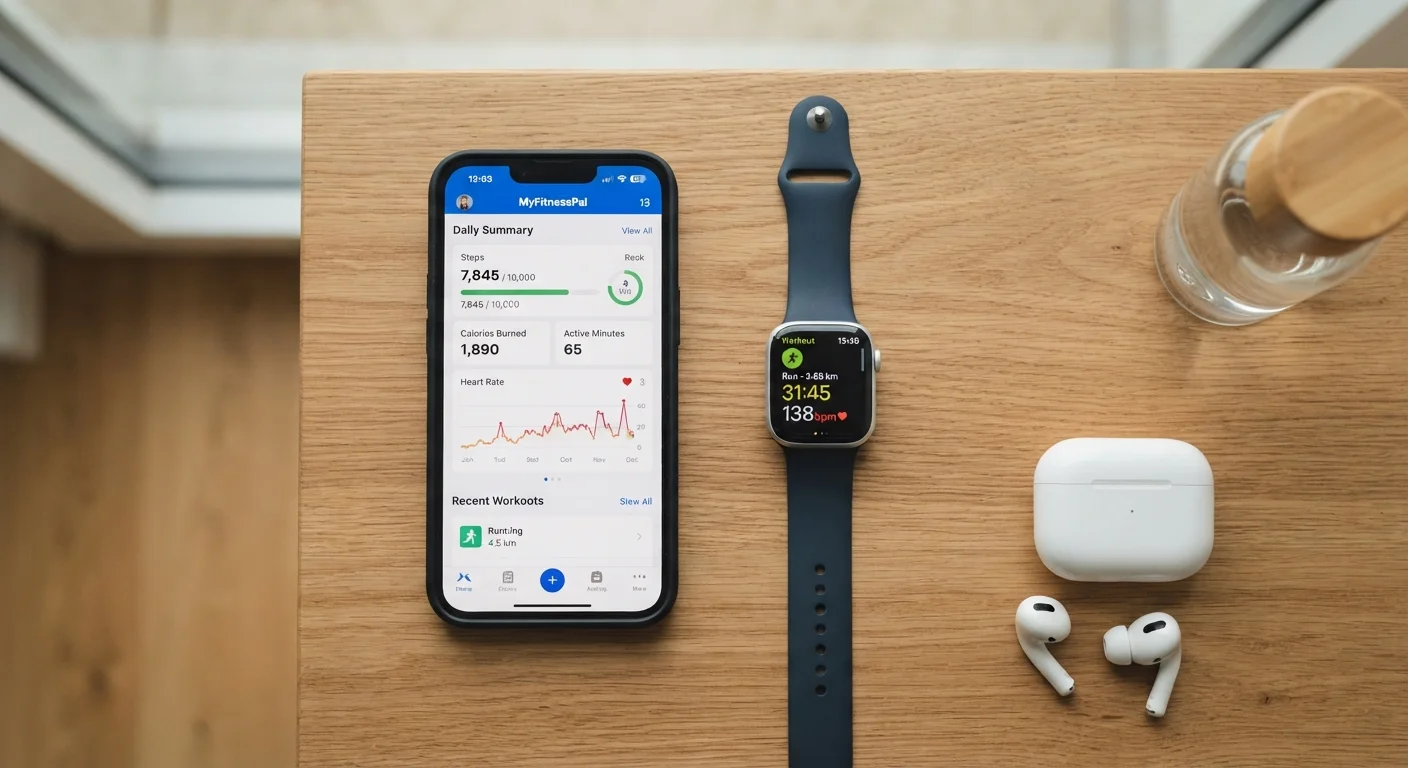
Photo credit: TrendingFaqs.com
In this article
Smartphone apps and wearable devices both track your activity, but in different ways. Compare what each offers and which might fit your routine better.
Key Takeaways
- Smartphone fitness apps cost little or nothing and require no extra hardware to get started.
- Wearables provide continuous, passive data collection including heart rate, sleep, and blood oxygen.
- Apps depend on your phone being nearby; wearables collect data independently throughout the day.
- Your choice depends on how much data you want, your budget, and how you actually move day to day.
- Neither approach guarantees better fitness outcomes on its own.
What each approach actually does
Fitness tracking apps run on smartphones and use the phone's built-in accelerometer, GPS, and microphone to estimate steps, distance, pace, and calories. Most also let users log workouts manually, set goals, and review trends over time. Because smartphones are already in most people's pockets, the barrier to entry is low.
Wearable devices, such as fitness bands and smartwatches, sit on the wrist and collect data continuously, with or without a phone nearby. Beyond motion data, most mid-range and higher-end wearables add optical heart rate sensors, sleep stage tracking, blood oxygen estimation, and skin temperature readings. Some pair with GPS, either built in or borrowed from a nearby phone.
The core difference is passive versus active collection. An app generally needs you to start a session or carry your phone. A wearable gathers data around the clock with no action required, which matters if you want a complete picture of how your body responds to rest, stress, and activity throughout the day. For a broader look at what continuous metrics like resting heart rate can reveal, see what your resting heart rate tells you about fitness.
Accuracy and data depth
Step counts from both apps and wearables are estimates, not measurements. Accelerometer-based counting can drift depending on movement style, phone placement, and gait. Wrist-worn devices tend to perform more consistently because they move with the body rather than bouncing in a bag or pocket.
Heart rate is where wearables gain a clear edge. Optical sensors on the wrist measure heart rate continuously during exercise and rest. Smartphone apps have no equivalent: a handful of apps use the phone camera and flash to estimate heart rate when a finger is held over the lens, but this is a manual spot check, not continuous monitoring.
Sleep tracking illustrates the same gap. Wearables use accelerometry and heart rate together to estimate sleep stages. An app resting on a nightstand can pick up movement through the mattress in some configurations, but the data is thinner and less reliable.
That said, more data does not automatically mean better decisions. If you find yourself overwhelmed by metrics rather than motivated by them, a simpler app-based approach may serve you better. The research on fitness tracking consistently shows that consistent use matters more than sensor precision.
| Fitness tracking app | Wearable device | |
|---|---|---|
| Upfront cost | Free to low monthly fee | Hardware cost required |
| Heart rate monitoring | Manual spot check only | Continuous optical sensor |
| Sleep tracking | Limited or unavailable | Continuous, with sleep stages |
| GPS tracking | Uses phone GPS (phone required) | Built-in or phone-borrowed GPS |
| Data collection | Active session or phone nearby | Passive, all-day collection |
| Maintenance required | App updates only | Charging, wear during sleep |
| Water resistance | N/A (depends on phone) | Available on many models |
Cost, convenience, and everyday fit
Apps range from free to roughly $15 per month for premium tiers. Many core features, including step tracking, workout logging, and basic goal setting, are available at no cost. Wearables carry an upfront hardware cost that varies widely by feature set and brand, and some pair with subscription services for advanced analytics.
Convenience cuts both ways. Wearables are always on, which means the data is always there, but you have to remember to charge them, keep them on your wrist during sleep, and replace them when they wear out. Phones are already part of most people's daily routines, so an app adds almost no new habit to maintain, but it does require the phone to be present and tracking to be active.
For activities like swimming, running trails, or cycling long distances, a dedicated wearable with built-in GPS and water resistance offers capabilities a phone app typically cannot match without the phone being physically present. For gym-based or home workouts, a logging app may cover everything you need.
Consistency in how you use either tool matters more than which tool you choose. Why workout motivation fades and what to do about it is worth reading alongside this comparison, because the tracking method is rarely the reason people stop moving.
Privacy and data considerations
Both apps and wearables collect personal health data, and it is worth knowing where that data goes. Most platforms store activity history on their servers, use it to generate personalized insights, and may share anonymized data with research partners or third parties under certain conditions. Reading the privacy policy of any platform before committing to it is a reasonable step.
Wearables that track heart rate, blood oxygen, and sleep generate a richer physiological profile than step-count apps, which means more sensitive data is being transmitted and stored. If data privacy is a concern, look for platforms that offer on-device storage, clear data deletion options, and transparent data-sharing policies.
Check your platform's data settings
Before using any fitness tracking platform, spend a few minutes in the app's privacy or account settings. Look for options to limit data sharing, download your data, or delete your account entirely. Many platforms offer these controls but do not surface them prominently. Knowing they exist puts you in a better position to make an informed decision.
Neither category is inherently safer than the other from a privacy standpoint. The deciding factor is the specific platform's data practices, not whether the tracker sits on your wrist or runs on your phone.
Choosing what fits your routine
A useful starting question is whether you want to track specific workouts or understand your broader daily activity and recovery. Workout-focused users often find apps sufficient. Those interested in recovery, sleep quality, and all-day heart rate trends get more from a wearable.
Budget matters too. Starting with a free or low-cost app lets you find out how much attention you actually pay to fitness data before investing in hardware. Many people discover they check their stats regularly and want more depth; others find they rarely look and would not use a wearable's features.
Whatever you choose, tracking is a tool to support movement, not a substitute for it. Signs your exercise routine is actually working covers the physical and behavioral signals that matter most, many of which no app or wearable can measure directly.
This article is for informational purposes only and does not constitute medical advice. Consult a qualified healthcare professional before making significant changes to your physical activity or if you have any health concerns.

Author
Health Editorial Team
Health Editorial Team is the collective byline for our editorial team and contributor network. Articles published under this byline or an editorial pen name are researched, written, and reviewed according to our editorial standards for clarity, consistency, and independence before publication.
View all articles →