
Functional Resume vs. Chronological Resume: Picking the Right Format
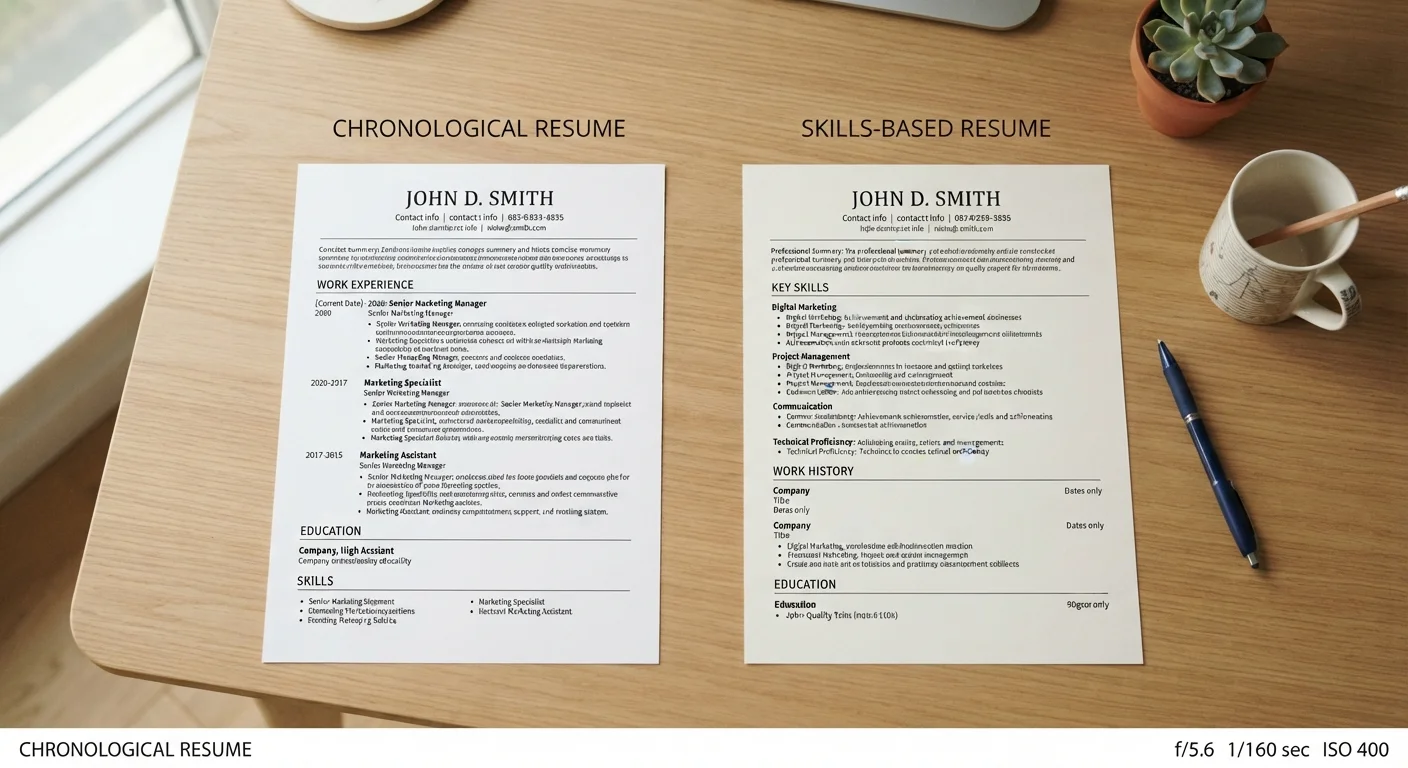
Photo credit: TrendingFaqs.com
In this article
Resume format affects how your experience reads to both recruiters and ATS software. Understand the tradeoffs before choosing a structure.
Key Takeaways
- Chronological resumes list work history in reverse date order and are preferred by most recruiters and ATS systems.
- Functional resumes group experience by skill category, which can obscure career timeline and raise flags with some recruiters.
- Most job seekers benefit most from the chronological format, with skills woven into each role description.
- Functional format may help in specific cases such as career changers or those returning after a long gap.
- The format you choose affects both how a human reads your resume and how ATS software parses it.
What each format actually does
A chronological resume lists your jobs in reverse order, starting with the most recent. Under each role you describe your responsibilities and accomplishments. Recruiters can scan it quickly and see your career arc at a glance.
A functional resume groups experience under skill headings instead of job titles. Work history, if it appears at all, is listed briefly at the bottom without much detail. The goal is to lead with capabilities rather than a timeline.
A third option, the hybrid or combination resume, opens with a skills summary and then follows it with a full chronological work history. It tries to deliver the benefits of both structures and avoids the main pitfall of a pure functional format.
Understanding how recruiters actually read a resume in a first pass helps explain why format matters: most initial reviews take only a few seconds, so layout directly shapes what gets noticed.
How ATS software handles each format
Applicant tracking systems (ATS) parse your resume into structured fields: job titles, employers, dates, and skills. Chronological resumes map cleanly onto those fields because dates and employers appear next to each role.
Functional resumes create problems for many ATS systems. When skills float free of specific jobs and dates are buried or absent, the parser cannot build a coherent employment record. A resume that scores well with a human eye can score poorly in an ATS if the structure does not match what the software expects.
| Chronological | Functional | Hybrid | |
|---|---|---|---|
| ATS compatibility | High | Low to moderate | High |
| Recruiter familiarity | Widely expected | Can raise red flags | Generally accepted |
| Shows career progression | Clearly | Obscured | Clearly |
| Foregrounds skills | Requires strong bullet writing | Yes, by design | Yes, in summary section |
| Best for career gaps | Less helpful | Can help, with risk | Better option |
| Best for career changers | Works with good framing | Often chosen but risky | Recommended |
If you are using any of the digital tools for job searching that include resume builders, most of those tools default to chronological layouts precisely because of ATS compatibility.
When the functional format has a real argument
Functional format is not useless. It can help in a narrow set of situations.
- You are making a significant career change and your job titles do not reflect the skills relevant to the new field.
- You are returning to the workforce after several years away for caregiving, illness, or other reasons, and a timeline would draw attention to a gap rather than your capabilities.
- You have done substantial freelance, contract, or volunteer work that produced real skills but does not fit neatly into a traditional job list.
Even in these cases, many hiring professionals are skeptical of functional resumes because the format is associated with candidates who have something to hide. A hybrid format often achieves the same goal with less risk. You can open with a concise skills summary, then follow with whatever work history you do have in chronological order.
Use a hybrid before defaulting to functional
If your situation tempts you toward a functional resume, try a hybrid first. Add a three- to five-line skills summary at the top of a standard chronological layout. This gives the reader a quick read on your capabilities while keeping the work history intact for ATS parsing and recruiter review. Most of the scenarios where functional format seems necessary can be handled this way.
Making chronological format work for skill-heavy roles
The most common complaint about chronological format is that it buries skills inside job descriptions where they are hard to see. The fix is to use strong, specific language within each role entry rather than treating skills as a separate section.
Instead of listing responsibilities in passive terms, write results-focused bullet points that name the skill and the outcome. A phrase like "led cross-functional team of eight to deliver product launch on schedule" tells a reader both the skill (project management, team leadership) and the result, all within a chronological entry.
Once your format and language are solid, the next step is tailoring your resume for each job posting so that the right skills surface for each specific role without rebuilding from scratch every time.
Your LinkedIn profile and resume serve different purposes, so the same format decisions do not apply equally to both. LinkedIn is better suited to a broad skills inventory; your resume should stay tightly focused on the target role.

Author
Careers Editorial Team
Careers Editorial Team is the collective byline for our editorial team and contributor network. Articles published under this byline or an editorial pen name are researched, written, and reviewed according to our editorial standards for clarity, consistency, and independence before publication.
View all articles →